
K4CLUB - Download 4K Movies/Blog/Why a download manager is more convenient for large files?
Why a download manager is more convenient for large files?

 197
197 1
1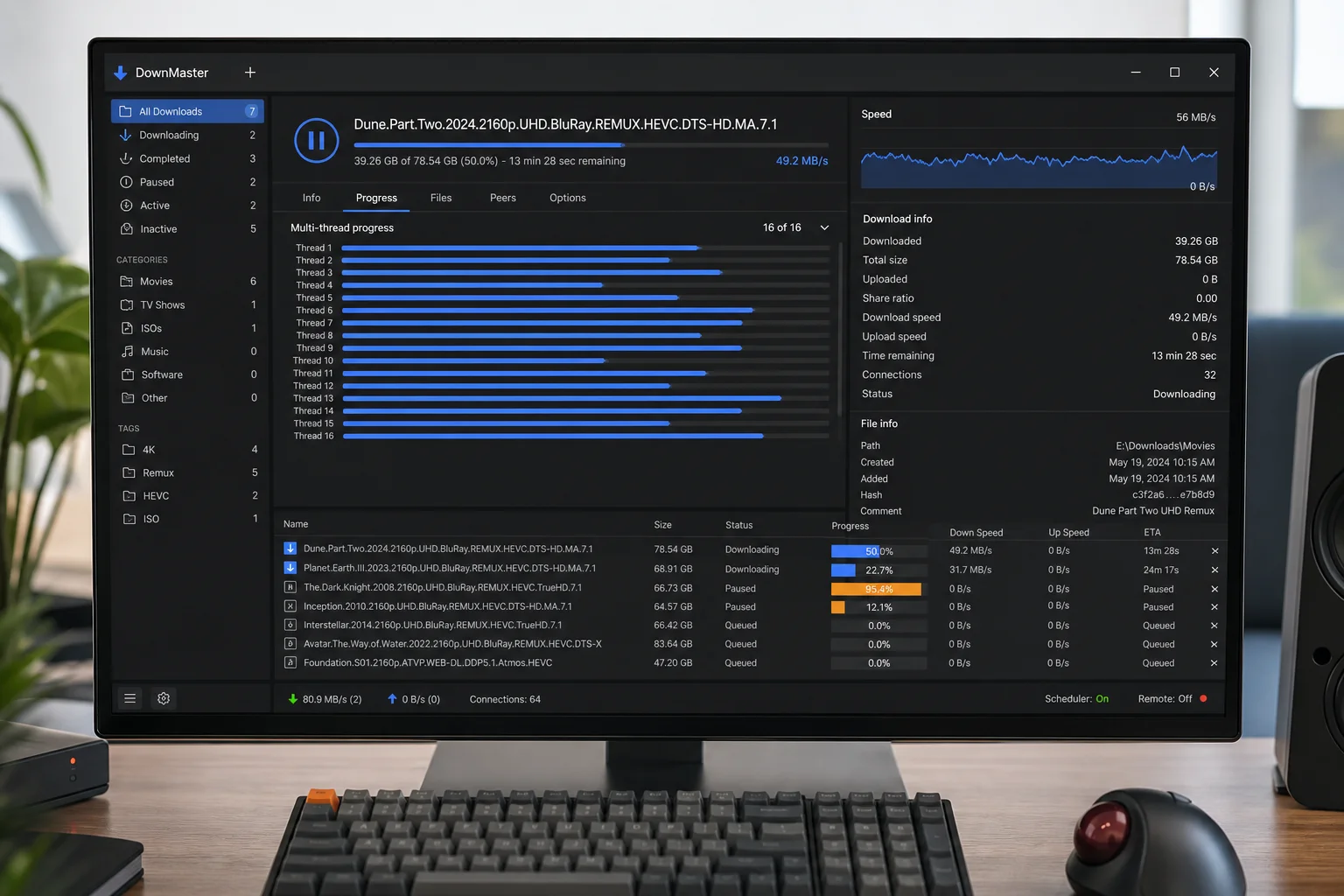
Resume Downloads
The download manager allows you to resume downloads from where they left off. This is especially useful if your connection is interrupted or you need to pause a download.
Fast Downloads
Support for multiple connections helps make better use of your bandwidth and speeds up the download of large files. This is convenient when working with large archives and lengthy releases.
Convenient Control
All downloads are displayed in a single window. It’s easier to monitor the queue, pause files, and manage the process without unnecessary steps.
A Detailed Comparison: Browser vs. Download Manager
| Criterion | Browser download | Download manager |
| Ideal for... | Small files (up to 1–2 GB) and quick, immediate downloads. | Large files (10+ GB), batches of links, and unstable servers. |
| Recovery after a failure | 50/50. Often requires re-downloading. | Nearly 100% reliability for resuming downloads. |
| Speed | Limited by a single thread and server settings. | Maximum speed thanks to multi-threaded downloading. |
| Impact on the system | May put a strain on RAM (if many tabs are open). | Runs in the background and uses minimal resources. |
| Automation | Minimal. Everything must be controlled manually. | Sorting by folders, scheduled tasks, and automatic PC shutdown. |
Comments:
